Intake questions
Ask what you actually need to know about new members, like interests, experience, and goals, without overwhelming them at the door.
Make joining feel intentional from the very first click.
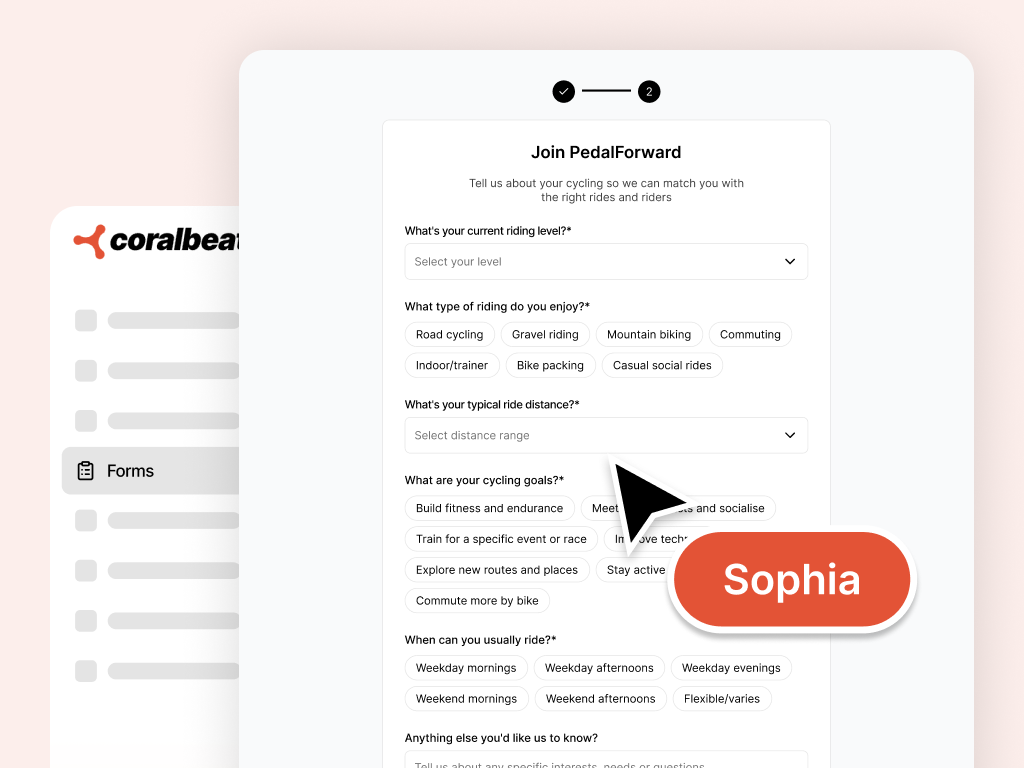
The moment someone decides to join is when expectations are set. Sophia helps you design intake questions, write form copy, and shape the joining flow so new members feel welcomed and informed, without a generic template or guessing what will go live.
Ask what you actually need to know about new members, like interests, experience, and goals, without overwhelming them at the door.
Write a welcoming title and short guidance so joiners understand why you are asking and what happens next.
Balance the information you need with a smooth join experience so fewer people abandon halfway through.
Match form messaging to the brand Zoe set up and the voice on Liam's landing page so the journey feels cohesive.
Review every field, label, and line of copy as a draft first. Your live signup form stays untouched until you approve it.
Draft separate signup forms for different audiences, campaigns, or cohorts when one intake flow is not enough.
Align form copy with your public page so visitors move naturally from interest to signup.
Shape copy and questions so new members know what to expect next. Space routing is set separately in your form settings.
Ask in plain language, review drafts in Preview, and apply when you are ready.
Tell Sophia who you want to attract and what you need to learn when they join. She turns that into form questions and copy you can react to.
See fields, labels, and helper text as a proposal. Nothing goes live until you have checked it in Preview.
Publish the parts that work and refine the rest. You choose what prospective members see on your live form.
Your landing page, brand, and space plans stay aligned, so the path from first click to first conversation feels intentional.
Describe your joining experience in Collaborate, then switch to Preview to check questions, copy, and field order before anything goes live.
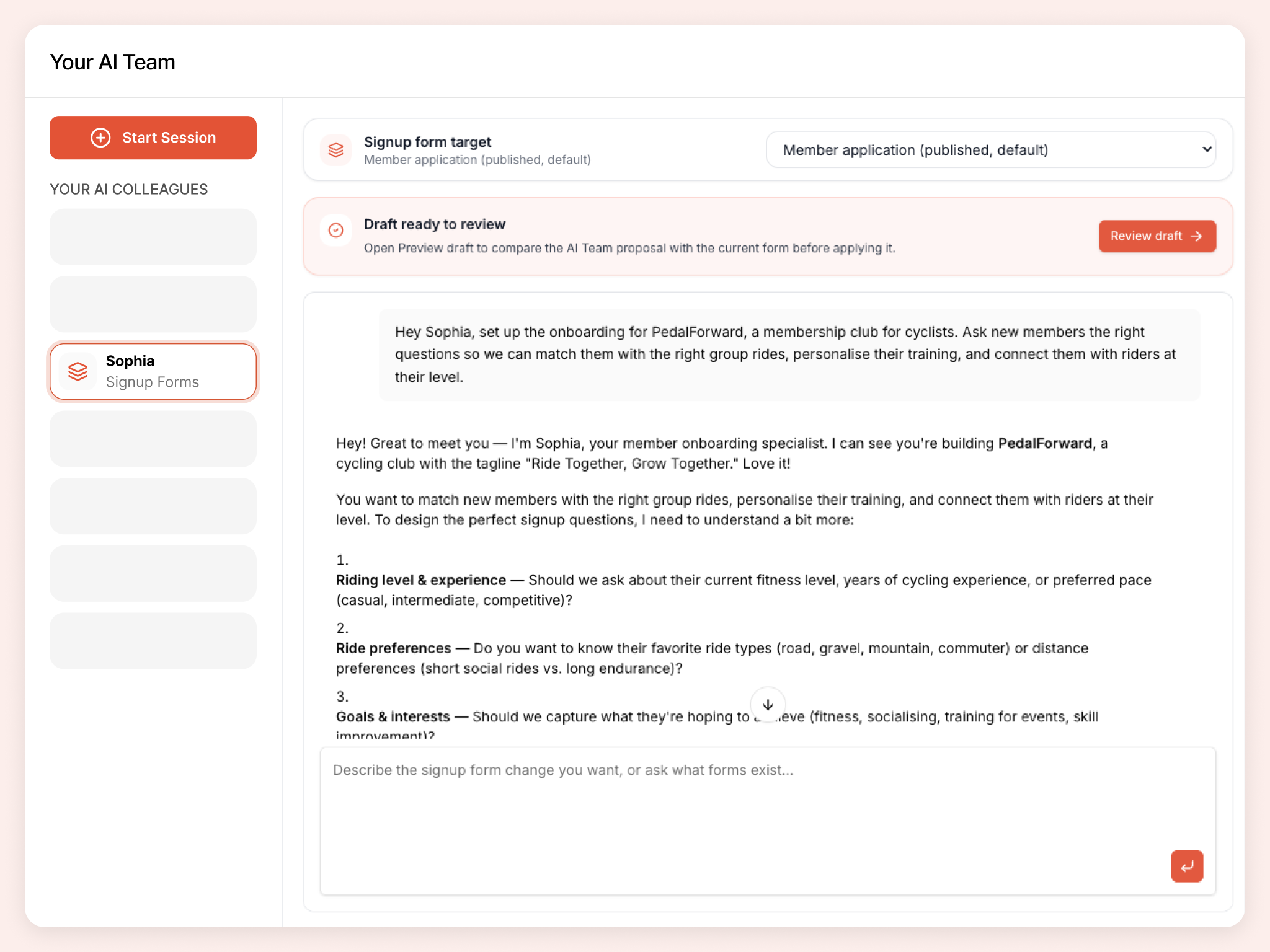
Publish a welcoming join flow your audience can complete and trust, aligned with your landing page and broader community structure.
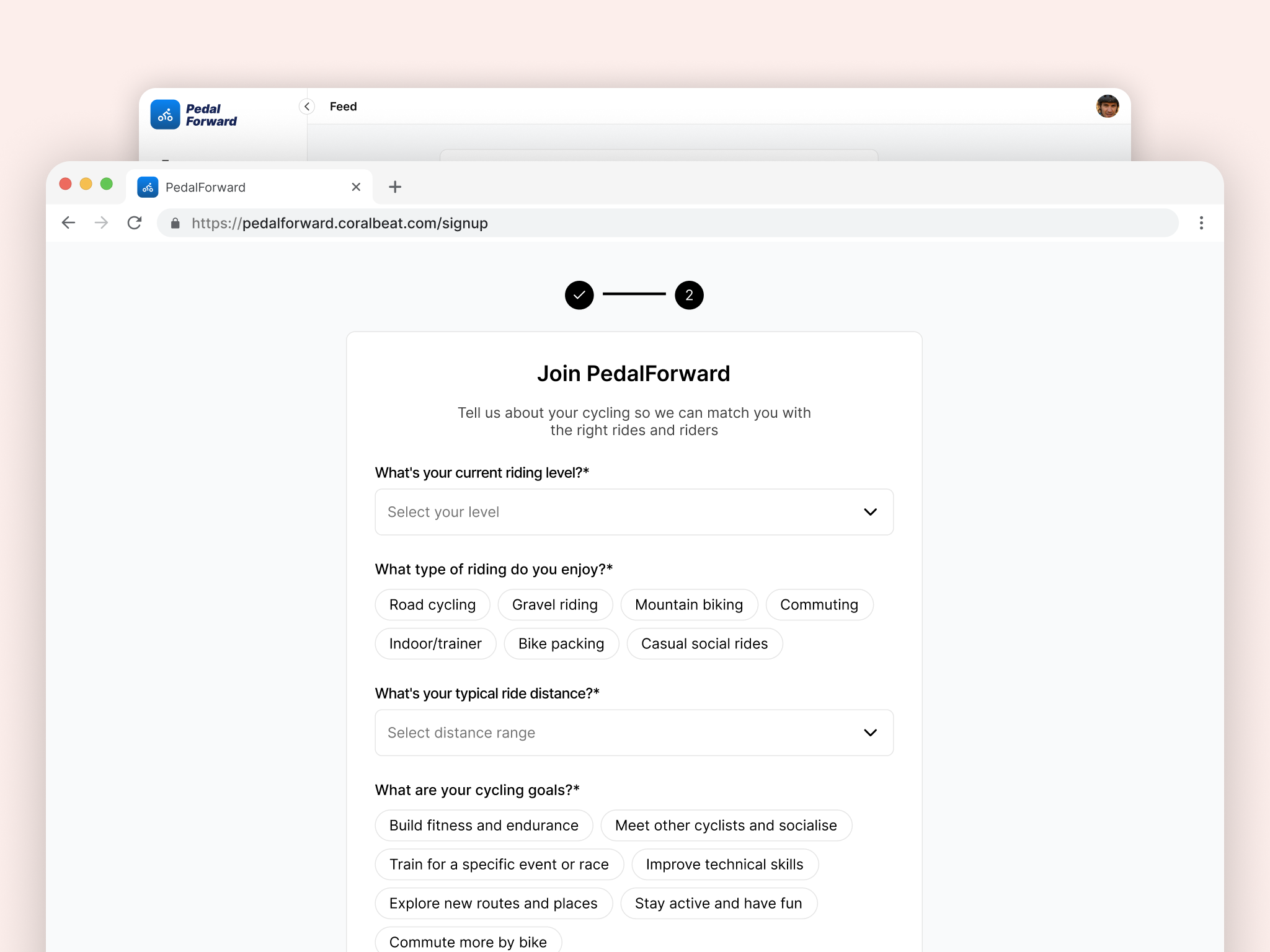
Hand off real tasks in everyday language. Sophia turns them into drafts you review in Preview before anything goes live.
What intake questions should we ask new members joining our nonprofit?
Improve the signup form copy so it feels warm and on-brand.
We are launching a cohort program. Draft a separate signup form for founding members.
Review our join flow. Which fields should be required before our first 100 members sign up?
Sophia is one member of your AI team. Colleagues share organizational context as you build, so your brand, pages, signup flow, and community stay connected.
A launch-ready brand members trust: name, colours, and assets you upload and approve in Preview.
A public page that turns visitors into members: headlines, sections, proof, and CTAs you preview before publish.
Member areas that make sense from day one: names, visibility, icons, and featured placement you preview before apply.
Challenges, badges, and points members can work toward. Preview before apply.
Sign up for Coralbeat Community and collaborate with Sophia. No credit card required.
Work with Sophia